
Many beginners wonder whether they should skip CompTIA A+ and go straight to Network+. While it may seem like a faster path, making the wrong choice can slow down your progress and make learning more difficult.
In this guide, we’ll break down whether skipping A+ is a good idea and help you choose the right starting point for your IT career.
What Does CompTIA A+ Actually Teach You?
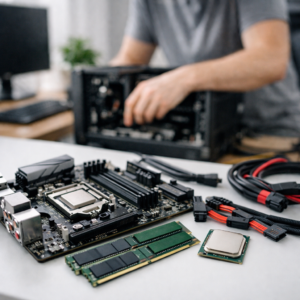
CompTIA A+ is designed to give you a strong foundation in IT by covering both the theory and the practical skills needed for real-world support roles. It goes beyond just knowing terms — it teaches you how to troubleshoot and fix problems step by step.
With A+, you learn key areas such as:
- Computer hardware (CPUs, RAM, storage, motherboards)
- Operating systems (Windows installation, configuration, troubleshooting)
- Basic networking (IP addresses, routers, connectivity issues)
- Security fundamentals (malware, passwords, best practices)
- Troubleshooting methodology
Real Examples of What You Can Do with A+ Knowledge
After learning A+, you’ll be able to handle common IT tasks like:
- Fixing a slow computer by identifying hardware or software issues
- Installing and configuring Windows on a new machine
- Troubleshooting internet connection problems in a home or office
- Setting up printers and resolving printing issues
- Removing malware and securing a system
- Supporting users with login, software, or device problems
Why This Foundation Matters
These skills are essential for entry-level IT roles such as help desk or IT support. More importantly, they make it easier to understand advanced topics later, including networking (Network+) and cybersecurity (Security+).
Without this foundation, many beginners struggle because they are trying to learn complex concepts without understanding the basics first.
What Does Network+ Focus On?
CompTIA Network+ focuses on the skills required to design, manage, and troubleshoot networks. Unlike A+, which covers a broad range of IT basics, Network+ goes deeper into how devices communicate and how networks operate in real-world environments.
The exam covers key areas such as:
- IP addressing (IPv4 and IPv6)
- Subnetting and network design
- Routing and switching concepts
- Network protocols (TCP/UDP, DNS, DHCP, HTTP/HTTPS)
- Network security fundamentals
- Troubleshooting connectivity and performance issues
What You’ll Be Able to Do After Network+
After studying for Network+, you should be able to:
- Diagnose and fix network connectivity issues (e.g., “no internet” problems)
- Configure IP addresses, subnet masks, and gateways
- Understand how routers and switches manage traffic
- Set up and troubleshoot wired and wireless networks
- Use tools like ping, tracert, and ipconfig to identify problems
- Identify common network attacks and apply basic security measures
Real-World Examples
Real-World Examples
- Fix a situation where users cannot access the internet in an office
- Identify whether a problem is caused by DNS, DHCP, or hardware
- Set up a small office network with proper IP addressing
- Troubleshoot slow network performance
- Help businesses maintain stable and secure connections
Why Network+ Feels Harder

Network+ is more technical because it requires you to understand how systems communicate behind the scenes. Without a basic IT foundation, many of these concepts can feel overwhelming at first.
Can You Skip A+ and Go Straight to Network+?
Yes — but only in certain situations.
You can consider skipping A+ if:
- You already understand basic computer hardware and software
- You are comfortable working with operating systems like Windows
- You have some basic networking knowledge
- You are already working in IT or have hands-on experience in support or technical roles
If you can confidently perform tasks like installing operating systems, troubleshooting common computer issues, and understanding basic networking concepts, then going straight to Network+ can make sense.
However, if you are completely new to IT, skipping A+ is usually not recommended.
Without that foundation, Network+ can feel overwhelming because it builds on concepts that A+ already introduces. Starting with A+ gives you a smoother learning path and helps you understand networking topics more easily later on.
Why Most Beginners Should NOT Skip A+
CompTIA A+ builds the foundation you need to understand more advanced IT topics. It teaches you how systems work at a basic level, which makes learning networking much easier later on.
Without that foundation, many beginners struggle because they are trying to understand complex concepts without knowing the basics behind them.
What Happens If You Skip A+ Too Early
If you jump straight into Network+ without A+ knowledge:
- Network concepts may feel confusing because you don’t fully understand how devices and operating systems work together
- Troubleshooting becomes harder because you don’t know where the problem is coming from (hardware, software, or network)
- Technical terms like DNS, DHCP, IP addressing, and ports may feel abstract instead of practical
Why Starting with A+ Makes Everything Easier
A+ gives you:
- A clear understanding of how computers and systems work
- A structured way to troubleshoot problems
- Confidence when moving into more advanced topics like networking and security
Because of this, starting with A+ makes your learning path smoother, faster, and less frustrating.
The Smart Learning Path

For most people, the best path is to start with CompTIA A+, then move on to Network+ once you feel comfortable with the basics. A+ gives you the foundation you need to understand how computers, operating systems, and basic networking actually work in real life. When you take the time to build that base, everything you learn later starts to make more sense instead of feeling confusing or overwhelming.
After that, moving to Network+ becomes much easier because you’re no longer trying to learn everything at once. You already understand how devices connect, how systems behave, and how to approach troubleshooting. Network+ then builds on that by going deeper into how networks communicate, how data flows, and how to fix more complex issues.
Throughout this process, using practice tests is what really helps you improve. They show you where you’re weak, how questions are structured, and what areas you need to focus on. Instead of just reading or watching content, you’re actively testing your understanding and reinforcing what you’ve learned.
This approach may not feel like the fastest at the beginning, but in reality, it saves you time because you avoid confusion and build real understanding step by step.
Practice Tests Can Speed Up Your Progress
No matter which certification you choose, practice tests are one of the most effective ways to prepare.
They help you:
- Understand how questions are asked
- Identify weak areas
- Build confidence before the real exam
If you want realistic exam-style questions:
Check out our CompTIA practice tests here:
EXPLORE OUR COMPTIA EXAMS PRACTICE QUESTIONS
Final Thoughts
Skipping CompTIA A+ might seem like a shortcut, but for most beginners, it creates more problems than it solves.
Building a strong foundation first will make your journey into networking and IT much easier and more successful.